
Apple Watch App Development Services
Partner with MobiDev to buid Apple Watch Application.





Why Build Apple Watch App Now
Benefit from Tech Partnership with MobiDev
$156B
Projected Smartwatch Market by 2030
~23%
of Smart Watches are Apple Watches
~72%
of Consumer in-app Spending is Apple’s App Store Purchases
Build a Reliable Apple Watch Application
Drive user retention, revenue, and growth

Benefit from Tech Partnership with MobiDev
Apple Watch App Development for Startups
- Launch faster without building a full product team.
- Get watchOS, iOS, UX, and QA skills on demand
- Keep hiring costs low while validating your MVP
- Reduce risk around scope, sync, battery, and testing
Apple Watch App Development for Existing iOS Apps
- Add Apple Watch without slowing your core roadmap.
- Keep your iOS team focused on the main product
- Get the right Watch architecture from the start
- Ship faster with less risk around sync and widgets
Apple Watch App Development for Consumer Brands
- Test wrist-first engagement without permanent hires.
- Scale the team around campaigns or product launches
- Roll out loyalty, status, and quick-action features faster
- Access Apple Watch UX and real-device testing expertise
Build an Apple Watch App Tailored for Your Industry
Fitness
Build wrist-first fitness apps for tracking, coaching, recovery, and user consistency.
Use cases:
- Workouts
- HR/GPS tracking
- Haptics
- Progress widgets
- AI coaching
Sports
Give athletes and coaches live performance data directly on the wrist.
Use cases:
- Training metrics
- Team load
- BLE sensors
- Sport-specific dashboards
- Live activity cards
Retail
Turn the Apple Watch into a fast-action layer for customers and store teams.
Use cases:
- Staff alerts
- Pickup status
- Loyalty
- Membership cards
- Contextual notifications
Hospitality
Help service teams respond faster with managed Apple Watch workflows.
Use cases:
- Staff dispatch
- Waitlist alerts
- Valet updates
- Guest passes
- Shift communication
Manufacturing
Support frontline teams with hands-free alerts, safety prompts, and operational updates.
Use cases:
- Machine alerts
- Safety checks
- Task lists
- Shift status
- Incident escalation
Launch an Apple Watch MVP with the Right Wrist-First Features
iPhone Onboarding & Permissions
Features:
- Account setup
- HealthKit permissions
- Privacy notices
- Subscription/paywall flows
Widgets & Alerts
Features:
- Timely alerts
- Live status cards
- Progress widgets
- Contextual reminders
Glanceable watchOS Interface
Features:
- One-task screens
- Large tap targets
- Digital Crown support
- Voice input
- Haptics
Watch Pairing & Synchronization
Features:
- Watch Connectivity setup
- Offline-safe data transfer
- iPhone-Watch state sync
Sensor and HealthKit Data Layer
Features:
- HealthKit data access
- Activity and health tracking
- Trends and progress history
Get an Application Designed for Apple Watch Constraints
Reliable In Real Life
Tested on real Apple Watch devices, not only simulators.
Designed For Quick Use
Built for glances, alerts, widgets, and actions that users can complete in seconds.
Optimized For Battery Life
Developed to reduce unnecessary background work and data transfers.
Ready For Sync Issues
Built to keep Watch and iPhone data consistent, even with intermittent connection.
Protected By Design
Engineered with secure data handling, privacy rules, and compliance needs in mind.
Ready to Build Your Apple Watch Application?
Talk to MobiDev’s Experts
Choose MobiDev as Your Partner for Apple Watch App Development
8+ Years
Providing AI Consulting & Development servicesg
5 Years
Average Client Retention
9.1 NPS
As of the 2025 Client Survey
91%
Middle and senior engineers on the teamr
77%
Of clients are from North America and Europe


Building an Apple Watch App That Works on the Wrist
Apple Watch app development is rarely about shrinking an iPhone app onto a smaller screen. The real work is deciding what deserves to happen on the wrist at all. Users open the Watch for seconds, not sessions. They need one useful action, one clear update, or one timely alert.
MobiDev builds Apple Watch apps around that reality: fast interactions, reliable sync, secure data flows, real-device testing, and features that make sense when the user is moving, working, training, or away from their phone.
Apple Watch Experience Has to Be Instant
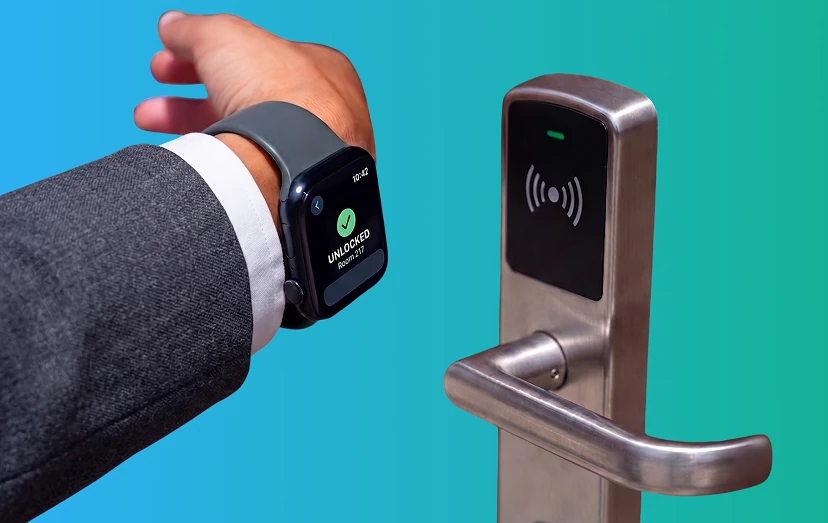
A good Apple Watch app does not ask users to think too much. It gives them the right action at the right moment.
We design for glances, not long screens. That means simple flows, clear alerts, readable widgets, and actions users can complete in seconds.
We don’t copy the iPhone app. The Watch should handle quick updates, confirmations, reminders, tracking, controls, and status checks. The deeper experience stays on the phone.
We use the Watch’s strongest surfaces first: Smart Stack widgets, complications, notifications, haptics, Live Activities, and quick actions.
Watch App Architecture Has to Survive Real Life
Apple Watch apps depend on more than the watch screen. They often need the iPhone, HealthKit, Bluetooth devices, cloud systems, and offline sync to work together.
The right app model early on: standalone Watch app, iPhone companion, widget-first experience, or a mix of all three.
Planning for unstable connectivity. The Watch and iPhone will not always be connected, so data has to sync safely when the connection returns.
Protecting battery life from the start. Background work, sensor usage, animations, and Watch-to-iPhone traffic all need to be controlled carefully.
Building privacy into the data flow. HealthKit permissions, user consent, secure storage, and data-use limits must be handled before features go live.

Making People Actually Use the Apple Watch App
The Watch is powerful because it can reach users at the exact moment they need something. Used badly, it becomes noise. Used well, it becomes a habit.
Timely updates instead of generic notifications. A delivery update, workout cue, booking reminder, staff alert, or payment confirmation should feel useful, not interruptive.
Turning app data into quick decisions. Progress, status, trends, reminders, and alerts should be easy to understand without opening the iPhone.
App Watch as a part of the larger product. It can support fitness tracking, sports performance, retail updates, hospitality workflows, manufacturing alerts, loyalty touchpoints, media controls, or iOS app engagement.

Launching the Apple Watch MVP Without Wasting Budget
Not every Apple Watch app needs to start as a full standalone product. Many successful Watch experiences begin with one focused use case.
Cutting the scope to the wrist moment that matters most: track, alert, confirm, control, remind, or update.
Validating the architecture before scaling. A simple complication has different requirements than a sensor-heavy fitness app or a staff workflow with offline sync.
Testing on real devices early. Simulators cannot reproduce real sensor behavior, battery impact, background timing, haptics, or how the interface feels on the wrist.
What Happens After Apple Watch App Launch
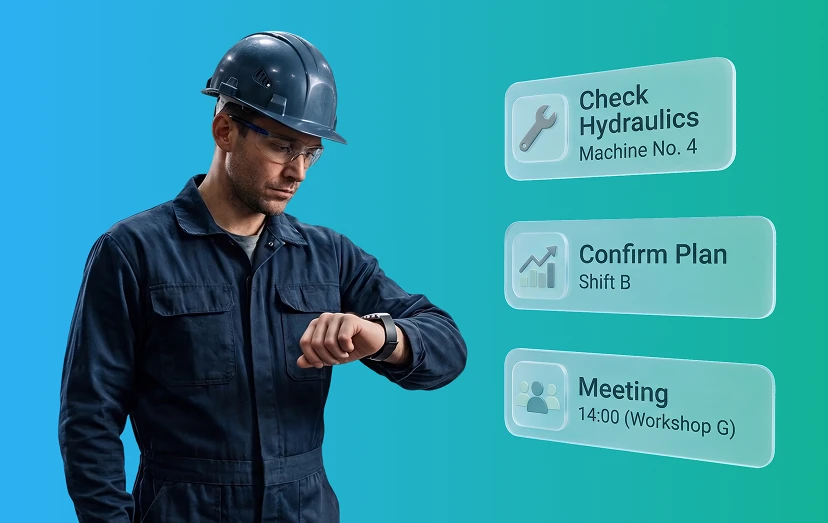
Once the Apple Watch app is live, real user behavior should guide the next phase.
Monitoring performance, battery impact, sync reliability, and user engagement after release.
Improving what users actually touch: widgets, notifications, quick actions, onboarding, data history, and iPhone-to-Watch handoff.
Scaling the product with more advanced capabilities: HealthKit insights, BLE and smart device integrations, AI-powered coaching, predictive alerts, richer dashboards, or multi-device experiences with iPhone and AirPods.
FAQ
- Apple Watch development starts with deciding what should happen on the wrist and what should stay on the iPhone. A smartwatch app should not copy the full mobile experience. It should focus on short interactions, quick actions, sensor data, alerts, widgets, and reliable iPhone-to-Watch sync.
From a technical side, development usually includes:
Choosing standalone, companion, or widget-first architecture - Building the watchOS app and iOS companion app with SwiftUI
- Setting up Watch Connectivity for sync and offline-safe data transfer
- Integrating HealthKit, Core Motion, Core Bluetooth, or other sensor inputs
- Optimizing background work to protect battery life
- Testing on real Apple Watch devices, not only simulators
- Validating sync across Watch models, iPhone models, OS versions, and connectivity states
- Securing local data, Bluetooth communication, and network traffic
- Reviewing privacy, HealthKit rules, and compliance needs when health data is involved
The main difference from mobile development is that every decision must account for limited screen space, short user attention, battery limits, intermittent connectivity, and real-world sensor behavior.
Yes. In many cases, the best Apple Watch product starts as an extension of an existing iOS app. The Watch can surface the most time-sensitive actions, such as alerts, status updates, reminders, progress, approvals, controls, or quick confirmations, while the iPhone keeps the deeper user experience.
It depends on the use case. A standalone app works better when users need value without their iPhone nearby. A companion app is better when the iPhone handles onboarding, payments, dashboards, heavy processing, or deeper workflows. Many products use both: simple actions on the Watch and more complex flows on the iPhone.
A focused Apple Watch MVP can usually move faster than a full mobile product, especially if it extends an existing iOS app. The timeline depends on the scope: widgets and notifications are simpler, while HealthKit, BLE devices, AI features, offline sync, or dashboards require more planning, testing, and validation.
The cost depends on the product model, feature complexity, and integrations. A simple Watch extension with notifications and widgets costs less than a sensor-heavy app with HealthKit, BLE integrations, AI insights, dashboards, and compliance requirements. The safest approach is to define the core wrist use case first, then estimate the MVP around it.
Yes, but offline behavior has to be designed intentionally. The app can store key data locally and sync with the iPhone or backend when the connection returns. This is especially important for workouts, field tasks, check-ins, safety workflows, and apps used in places with unstable connectivity.
Yes, with user permission. Apple Watch apps can request access to specific health and fitness data types, such as workouts, activity, heart rate, sleep, or other supported signals. The app should only request the data it needs and clearly explain how that data improves the user experience.
Yes. Apple Watch apps can connect with compatible Bluetooth devices and smart systems, depending on the product requirements. This can support sport sensors, wellness devices, smart home controls, industrial equipment, or other connected-device scenarios.
Yes. Fitness is only one use case. Apple Watch can also support retail updates, hospitality workflows, manufacturing alerts, loyalty programs, safety checks, remote controls, quick approvals, live status updates, and companion features for existing iOS apps.
How do you avoid annoying users with too many Watch notifications?The Watch should be used for timely and useful moments, not generic messages. Notifications need to be contextual, personalized, and easy to act on. Good Apple Watch UX prioritizes alerts that help users make a quick decision or complete a small action in seconds.
After launch, the next step is to monitor real usage, battery impact, sync reliability, feature adoption, and drop-off points. This helps improve widgets, notifications, quick actions, onboarding, data flows, and iPhone-to-Watch handoff before adding more advanced features.