
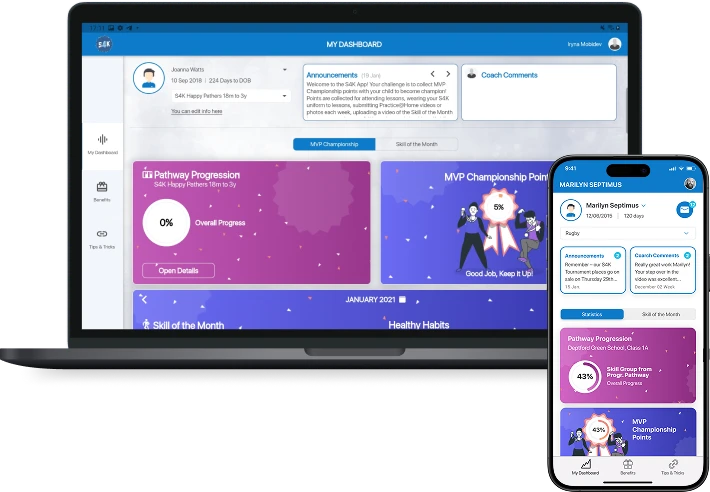
Bringing a Coach-Led Kids’ Sports Program to 1,000+ Parents Through One Flutter App
Sport4Kids had been coaching children in UK schools, nurseries and clubs since 2012, entirely in person. When in-person sessions stopped, the business was left holding 800+ lesson plans that only worked with a coach in the room.
We built the Flutter app that got them to parents instead, on iOS and Android from one codebase, under a launch date the client set before we started. Over 1,000 parents ended up using it.


The Story Behind the Sport4Kids Flutter App
Sport4Kids coaches children from 18 months up through their teens, in schools, nurseries and sports clubs across the UK. The method is theirs, built since 2012, and it lived in 800+ lesson plans a coach delivered in person.
That was also the constraint. The service existed only where a coach could physically be, so when in-person sessions stopped in 2020, the revenue stopped with them. The owners came to us to get the program to families directly, both the coaching and the admin around it, and they had no engineering team and no plan to build one. MobiDev provided a dedicated team to fully develop the Sport4kids app for iOS and Android platforms.
Business Value of the Sport4Kids App Development
What the app changed for the business, starting with the thing that had been impossible before it:
- The program works without a coach present. 800+ lesson plans became something a family could use directly rather than only in a scheduled session.
- Over 1,000 parents use it, which puts the service in reach of families beyond the catchment area of any physical venue.
- Progress monitoring moved to the parent. What a coach used to observe in a session became something a parent can see between them.
- Coaching capacity stopped being the ceiling on how many families the business could serve.
- One codebase covered iOS and Android, so the launch date was hit once rather than twice.
- Bookings and customer records stayed in one place through the Sportfusion CRM integration, rather than forking into a second system for staff to maintain.
Project Scope of the Kids’ Sports App Development
Six to seven experts, starting with a consulting stage and continuing as a dedicated team.
Stage 1. Consulting and stack selection. The client’s first requirement was a launch date, so the consulting stage focused on choosing the framework (Flutter with Firebase and Firestore) that would meet the timeline.
Stage 2. Architecture for smoothness. Animations and scrolling had to stay smooth while data loaded from the server, so the app was built on the BLoC pattern using async methods and streams.
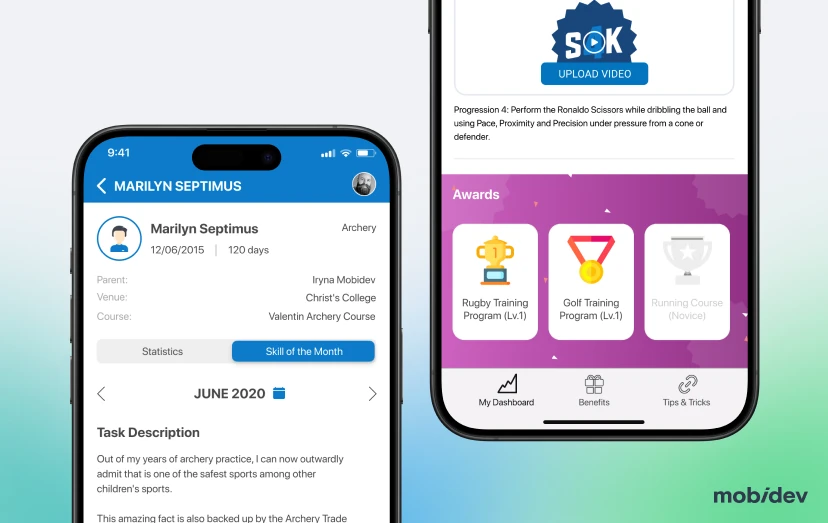
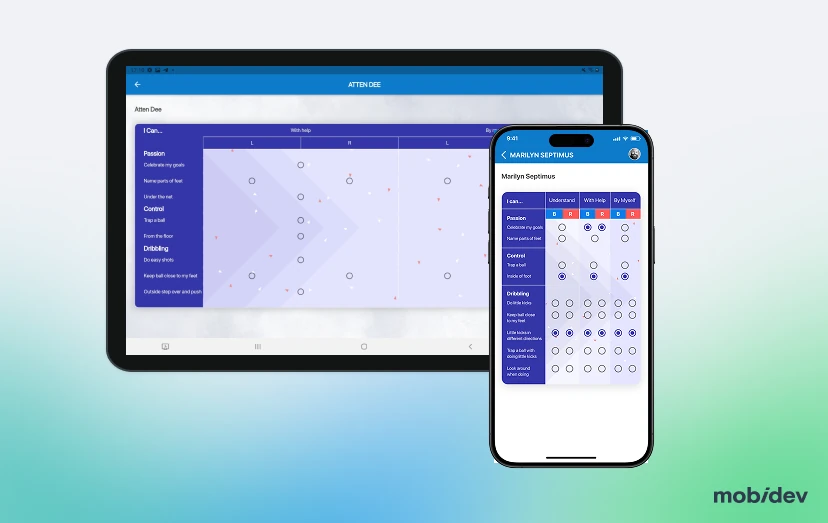
Stage 3. Design split by audience. The child’s side carries gamification: reward cards, animal badges, achievements and scoring. The parent’s side stays plain and dense, with lesson plans, scheduling and progress.
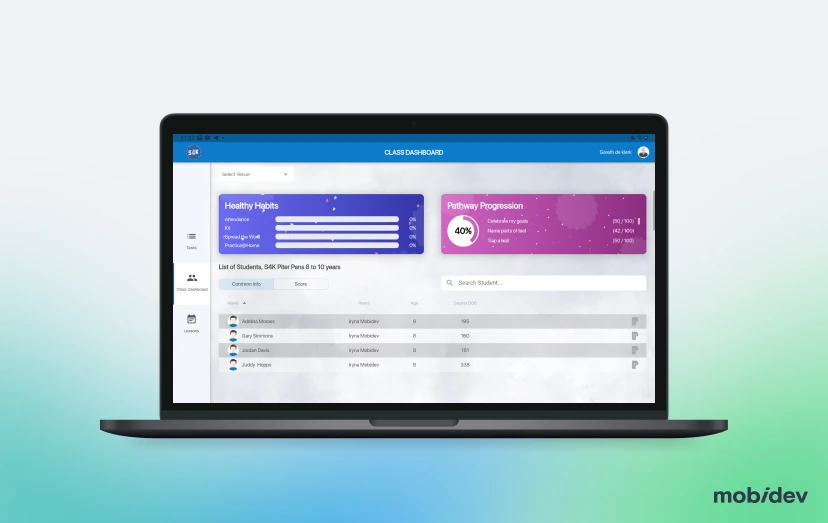
Stage 4. Integration with the existing business system. The app was connected to the Sportfusion CRM the business already ran on, so bookings and customer records did not split into two versions.
Deliverables of the Sport4Kids App Project
- Tech strategy and stack recommendation against a fixed launch date.
- iOS and Android apps from a single Flutter codebase.
- Firebase authentication, real-time database, cloud functions and storage.
- Firestore database.
- Gamified child-facing interface: reward cards, animal badges, achievements, scoring.
- Parent-facing lesson planning, scheduling and progress monitoring, covering 800+ lesson plans.
- React Admin admin panel.
- Sportfusion CRM integration.
- Functional, manual, integration and regression test coverage.
Tech Stack
Build Product Sports Management App for Children
Fill out the form and share your vision for your product. Our experts will get back to you within 1 business day.
FAQ
Part of it can, and the useful question is which part. Split the service into information and presence. Scheduling, records, content, progress history and payment are all information, and information moves into software cleanly. What a person does in the room usually does not, and pretending otherwise is where these projects fail. Sport4Kids had 800+ documented lesson plans, which is the reason this worked. The method was already written down, so it could be delivered without the coach standing there.
Look for whether the thing you sell exists anywhere outside your staff’s heads. Documented processes, repeatable steps, and consistent delivery between people are the signals, and their absence is not a reason to skip the software, only a reason to expect the documentation work to come first and to be larger than you think. If two employees deliver the service differently and both are right, you have a design decision to make before you have a build.
Decide screen by screen which one it is for, rather than averaging them. Averaging produces an interface too complicated for the simpler user and too thin for the demanding one. It also helps to be blunt about which user controls which outcome, because that tells you where the design effort belongs. In this app the parent’s side carries lesson planning and progress monitoring, and the child’s side carries reward cards, badges, achievements and scoring.
Cut the work that gets duplicated. While you develop a backend infrastructure once, on a conventional build you pay twice for the app, once per platform. A single codebase saves your time and budget. This project used Flutter for iOS and Android from one codebase. And since this app uses Firebase and Firestore supplying authentication, a real-time database, cloud functions and storage, we also saved time on integration.
The complaint is almost always specific: scrolling and animation stutter while data loads. That is an architecture problem more than a framework one, and it is solvable. Here the BLoC pattern with async methods and streams kept animations and scrolling smooth while data was still arriving from the server. However, if you want 3D animations, AR, heavy realtime processing and maximum performance, go native with separate apps for iOS and Android, but be ready to pay more.
Flutter tends to win where the interface is heavily custom and animation-led, which is why it suited a children’s app built around visual rewards. React Native tends to win where the team already writes JavaScript, where web and mobile should share logic, or where you live deep inside device APIs. Both give you one codebase for iOS and Android, so the decision is usually about the team you have and the interface you are building, not about which framework is better.
Almost always, and the cost of skipping it is paid by your staff rather than your project budget. Without an integration someone re-enters bookings and customer records in two places, and the version that gets neglected is usually the new one. This app was integrated with Sportfusion CRM, the system Sport4Kids already ran.
Two things people forget when budgeting version one. Platform churn is the first: iOS and Android both ship yearly changes that require work whether or not you are adding features, and store requirements change with them. The second is that a managed backend bills by usage, so success costs more than the pilot did. Neither is large, but planning for zero is how apps quietly go stale two years in.
Yes, and the sequence matters more than the technology. AI needs data, so the first version’s job is to generate it: what gets completed, what gets abandoned, what a child repeats. Build the product first and the AI on what it collects. Adding a model to an app with no usage history means guessing at what it should learn from.
The ones that adapt what already exists rather than inventing new content. Recommending the next lesson from what a child has finished and enjoyed is a well-understood problem. Flagging a child who has stopped engaging, so a coach or parent can act, is useful and unglamorous. Pose estimation for form feedback on a movement is real and MobiDev builds it, though it is a much bigger commitment than the recommendation work and worth treating as its own project.
No, and it is worth being straight with clients about this rather than letting the demo imply otherwise. AI can extend a coach’s reach between sessions, keep a child engaged, and tell you where attention is needed. It cannot do the thing a good coach does in the room, which is why this business was worth the effort of getting online rather than replacing. The products that sell are the ones positioned as extending the human, and the ones that disappoint are the ones sold as substituting for them.
Less than you would think for recommendations, more than you would hope for anything that judges performance. Recommending content works on patterns across users, so a few thousand active users generating regular sessions is often enough. Anything that assesses how well something was done needs labelled examples, meaning someone has to have judged them, which is a data collection project in its own right. The honest first step is measuring what you already have against the specific question you want answered.
Yes, but there is an important distinction between the two. Vibe coding is great for quickly creating demos and prototypes, testing ideas, and getting something in front of users. However, it is not a suitable foundation for a serious production product, especially one involving payments, offline functionality, complex state management, or children’s data.
AI-assisted coding, on the other hand, can be highly effective throughout production development when used by experienced engineers. It can reduce the time and cost of implementation, testing, and routine development work, while the engineers remain responsible for the architecture, security, reliability, and overall product quality.
Get it audited before you decide anything, because the instinct to start over is usually wrong. The typical shape of the problem is a product that works down the demo path and breaks on edge cases, with no tests, inconsistent structure, and security handled optimistically. The business logic inside it is real even where the code is not, and that is the expensive part. An audit tells you what is salvageable and what has to be rewritten, which is a cheaper question to answer than either extreme.
Stricter than for adults, in every market, and worth designing for before you build rather than after. In the UK that means the Children’s Code, in the US it means COPPA, and both shape things you would not expect, including default settings, what you may collect, how consent is obtained from a parent, and what the app is allowed to nudge a child to do/